How to Open a File
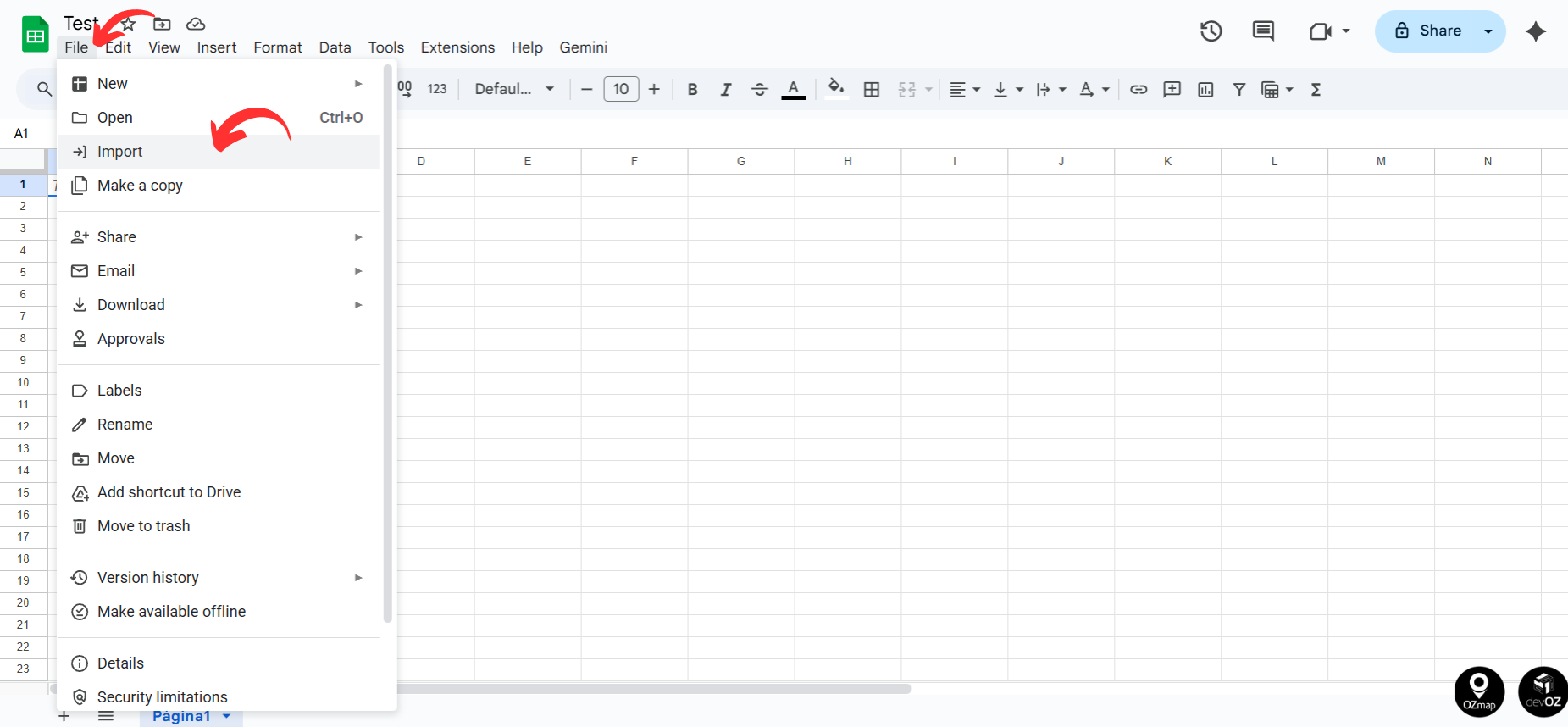
To open a CSV file in Google Sheets, the first step is to create a new blank spreadsheet. In this spreadsheet, go to the “File” menu and then select “Import,” choosing the CSV file you want to edit.
A window will appear on the screen asking for the import settings. Select the options as shown in the image below.
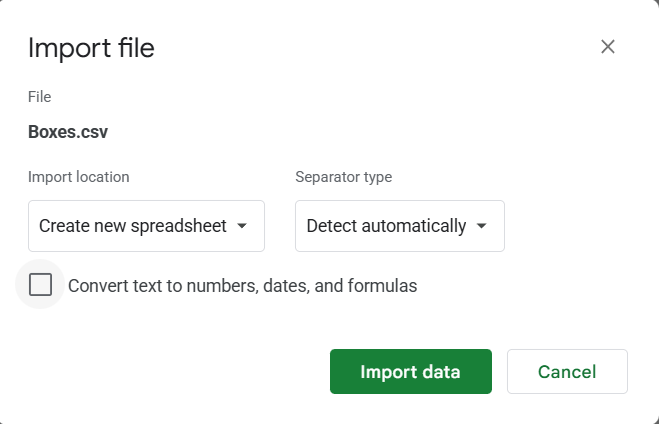
Click “Import data.” The file will open with the data separated into columns and ready to be edited.
Saving the File
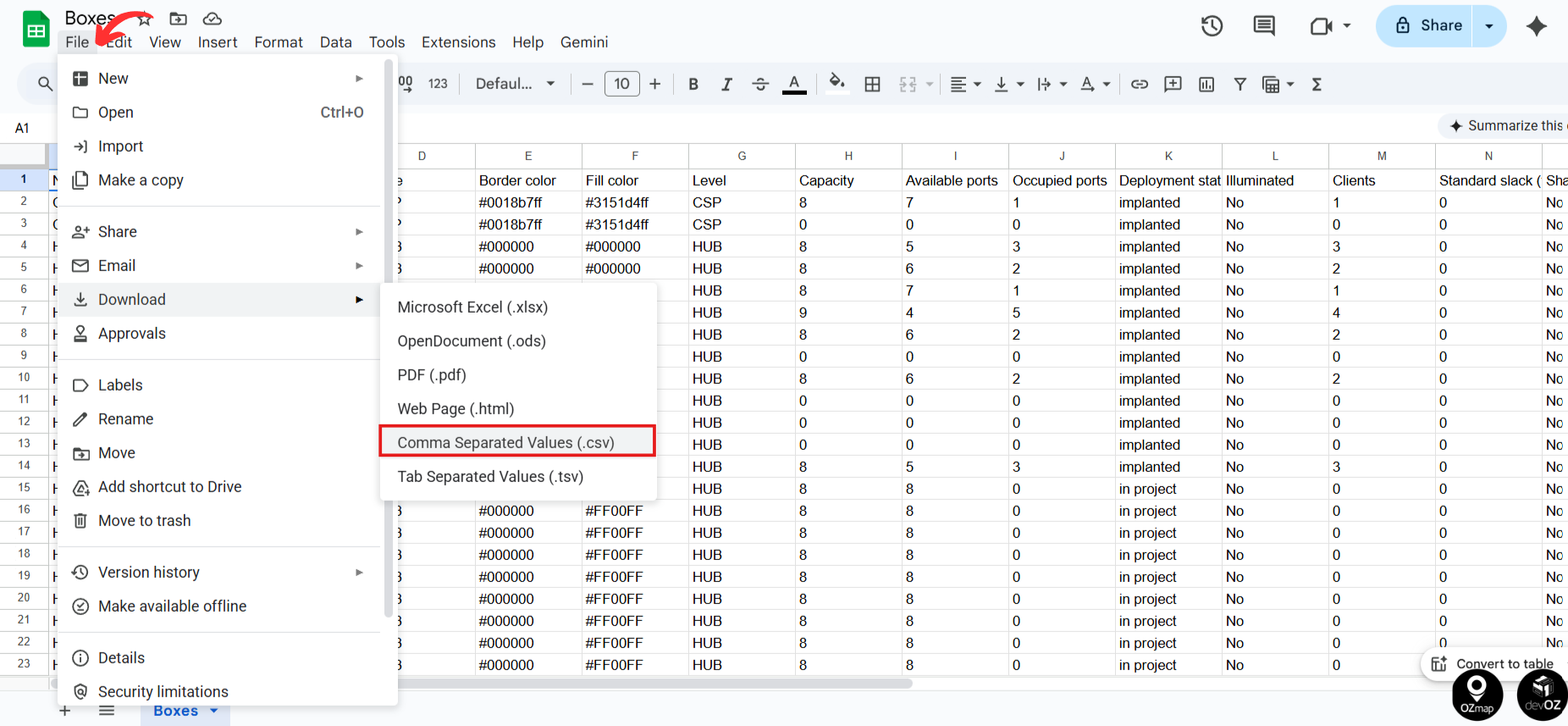
After finishing the editing, click “File” and then “Download.” Choose the “Comma-separated values (.csv)” format. The file will be downloaded and ready for import.